Poreia records your GPS position continuously while tracking, creating a breadcrumb trail of your journey.
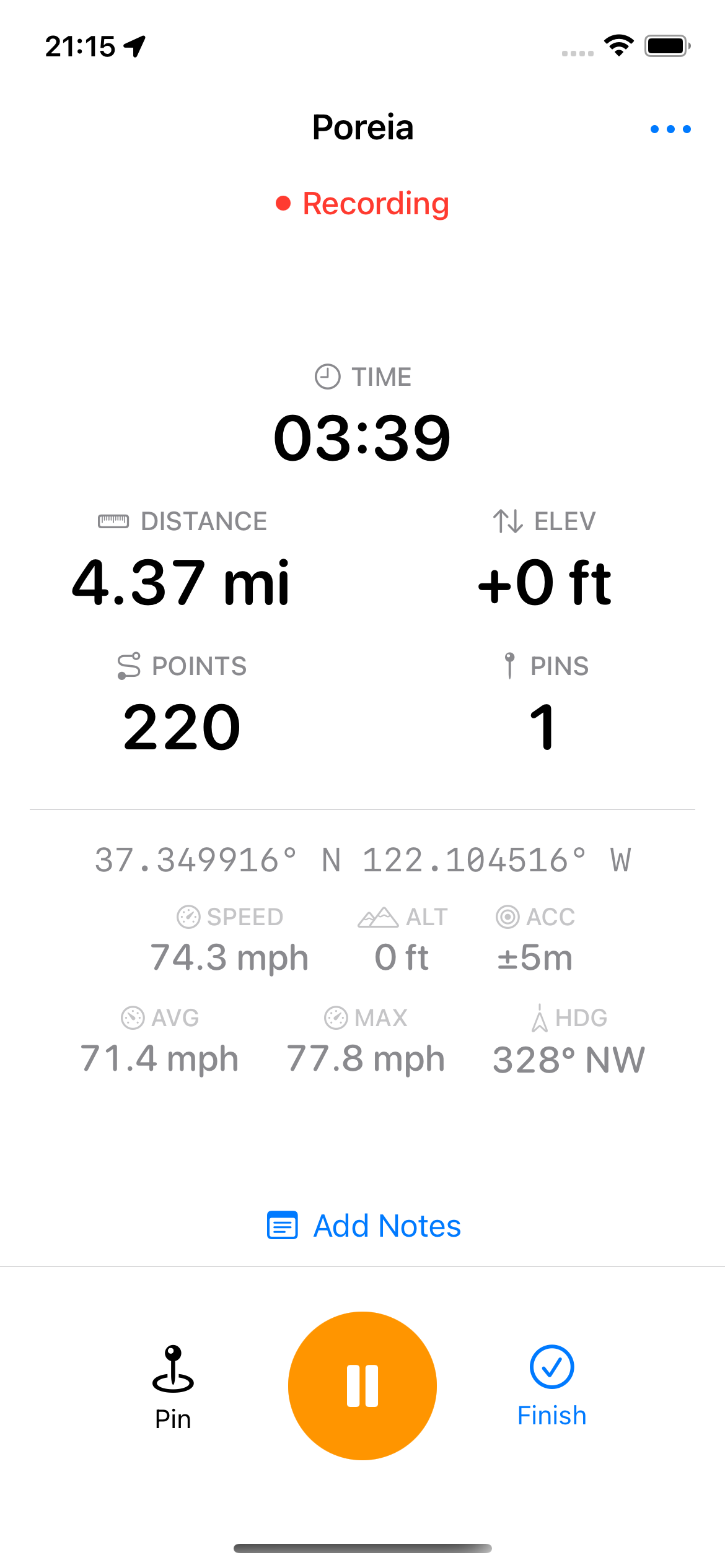
Tap the Play button to begin tracking. The status changes to "Recording" and you'll see:
During tracking, the stats display shows:
| Stat | Description |
|---|---|
| Distance | Total distance traveled |
| Time | Elapsed tracking time (excludes paused time) |
| Elevation | Net elevation change from start |
| Speed | Current speed from GPS |
| Avg Speed | Average speed over the track |
| Max Speed | Maximum recorded speed |
| Heading | Current direction (e.g., "45° NE") |
| Accuracy | Current GPS accuracy in meters |
| Points | Number of GPS points recorded |
| Pins | Number of waypoints dropped |
Tap Pause to temporarily stop recording. While paused:
Tap Resume to continue. Each pause/resume cycle creates a new segment in your track, which is preserved in exports.
When enabled in Settings, tracking automatically pauses when you stop moving for 5 minutes and resumes when you start moving again. This is useful for:
You'll receive notifications when auto-pause triggers (if notifications are enabled).
Tap the Stop button to finish. A sheet appears showing:
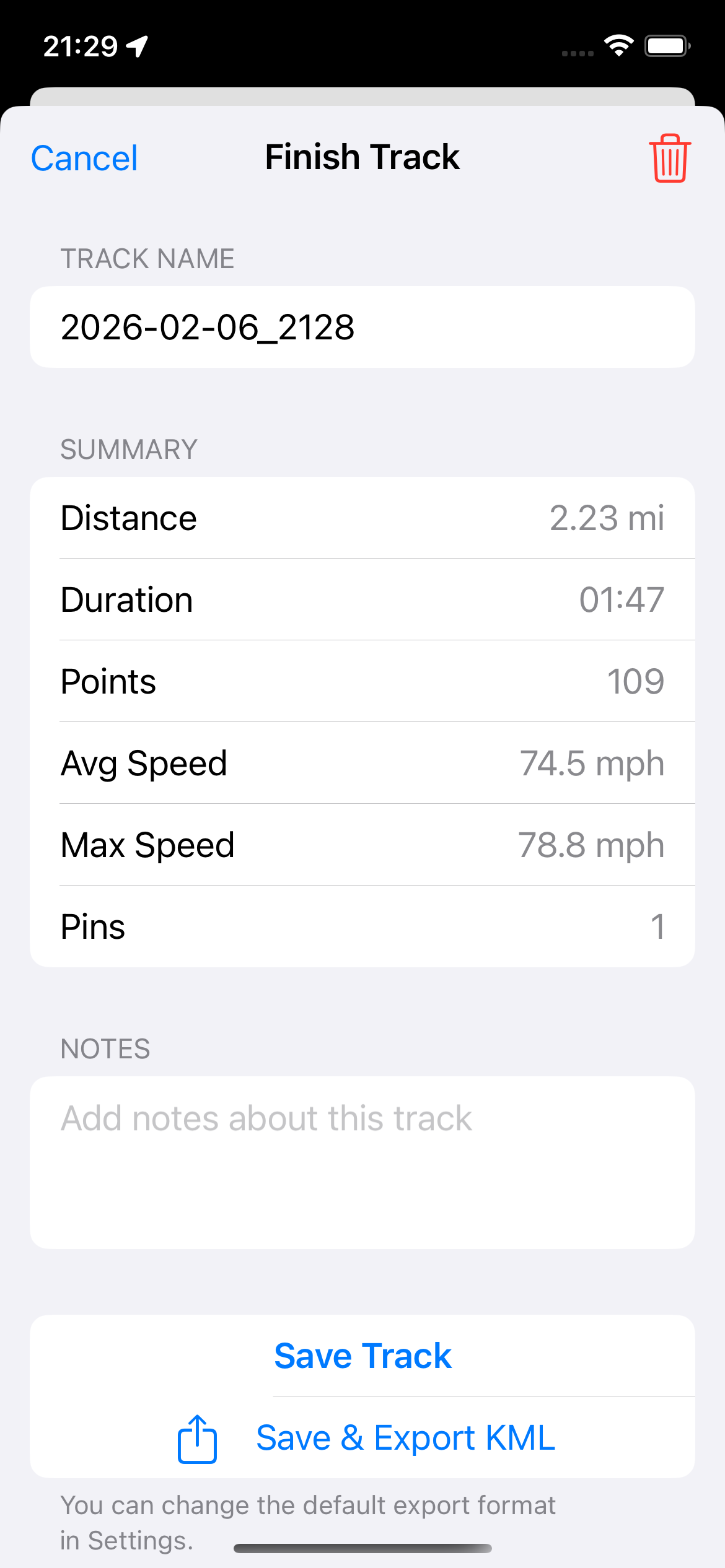
To discard without saving, long-press the Stop button and confirm. Discarded tracks go to Recently Deleted for 30 days in case you change your mind.
Poreia automatically saves your track every 10 points (or every point in Low Power Mode). If the app crashes or is force-quit, you'll see a recovery prompt on next launch offering to restore your session.
Bad GPS data is automatically discarded:
This keeps your tracks clean without manual editing.